Properties and units
Every flat, villa, shop, or plot of land you manage lives under Properties. A property holds one or more units (rooms or floors), and each rented unit has a tenancy: a tenant, a monthly rent, a due day, and any rent they already owed when you started tracking.
The Properties list
Open Properties from the sidebar to see every property in your account with its locality, type, and occupancy.
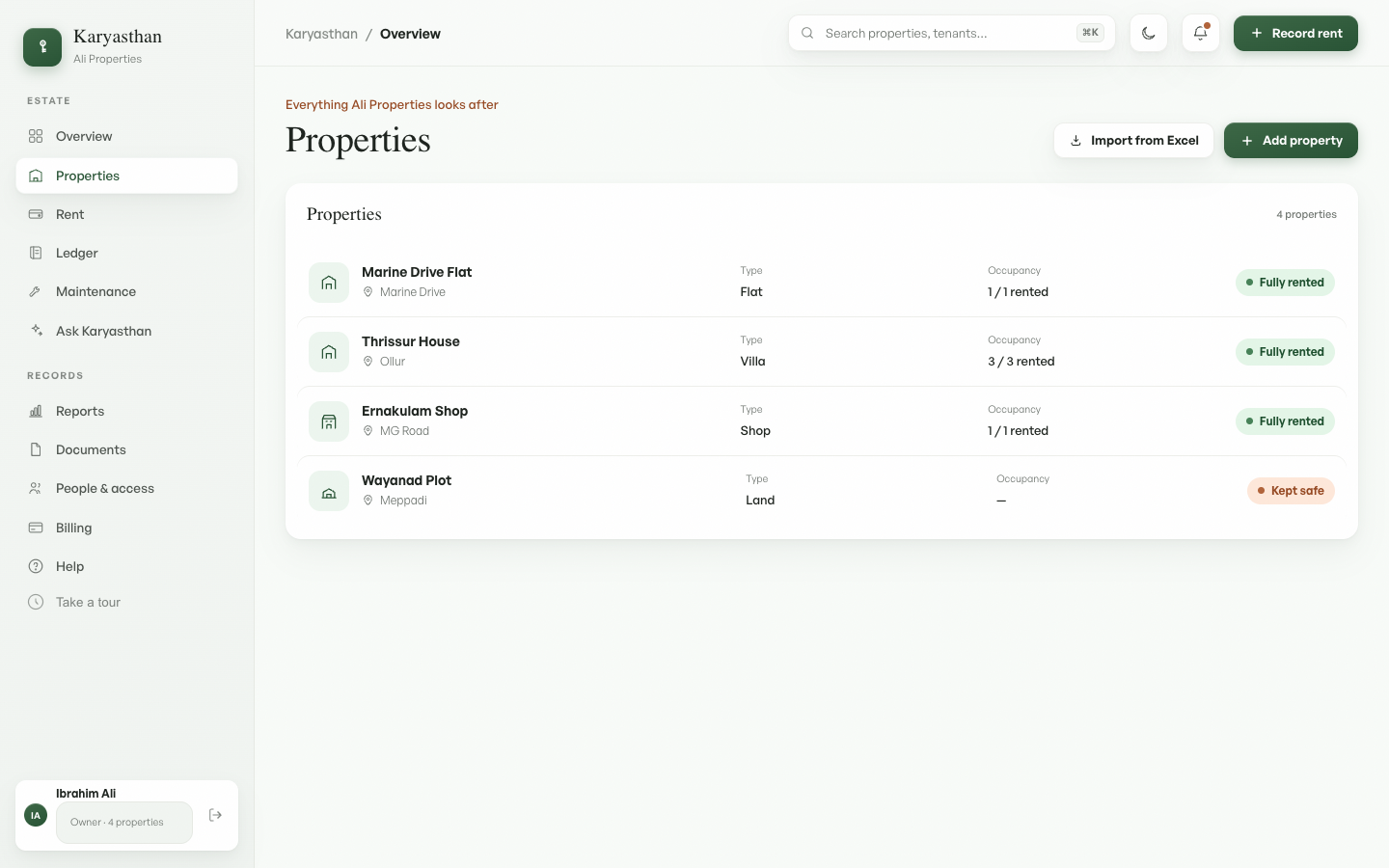
The occupancy chip on each row reads Fully rented, Part-rented, Vacant, or Kept safe (the last is for a property with no rentable units, like land). Two buttons sit at the top: Import from Excel bulk-adds many properties at once (covered below), and Add property adds a single one. Click any row to open that property's detail page.
Adding a property
Click Add property. The modal opens.
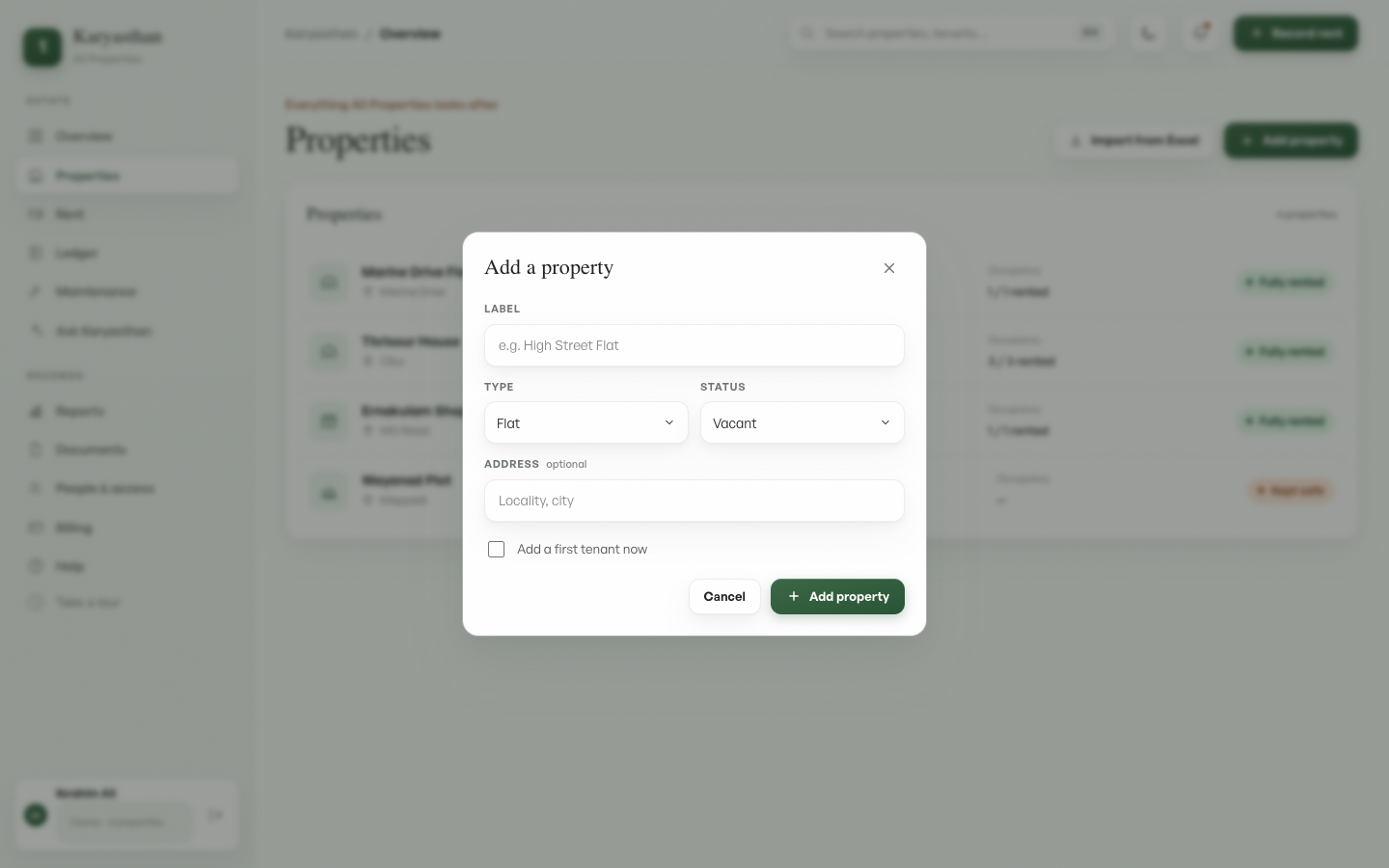
| Field | What to enter |
|---|---|
| Label | A short name you'll recognise, e.g. High Street Flat. Required. |
| Type | Flat, Villa, Shop, or Land. This sets the icon in lists; it doesn't change how rent works. |
| Status | Vacant or Rented. It's set to Rented for you when you add a first tenant below. |
| Address | Locality and city. Optional. |
| Add a first tenant now | Tick this to also create the first unit and tenancy in one step. |
…with a first tenant
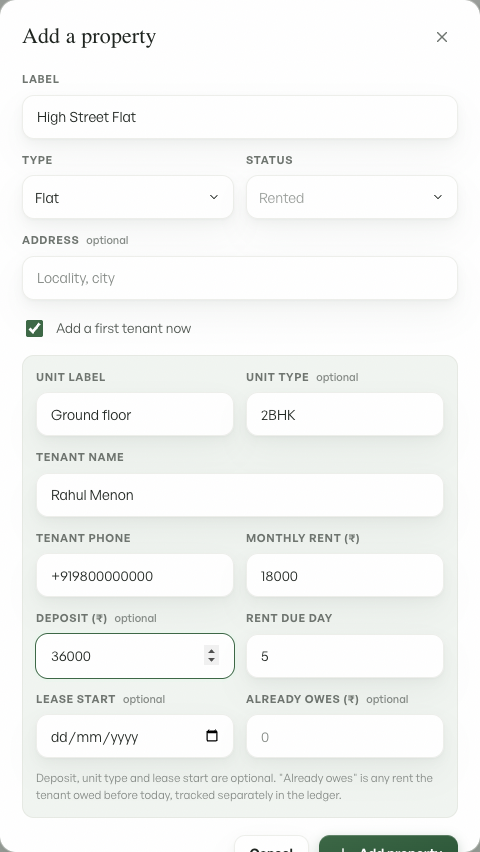
Ticking Add a first tenant now reveals the tenancy fields.
| Field | What to enter |
|---|---|
| Unit label | The room or floor being let, e.g. Ground floor. |
| Unit type | Optional. A short descriptor such as 2BHK or Shop. |
| Tenant name | The tenant's full name. |
| Tenant phone | Their phone, e.g. +91…. It's used later for receipts and reminders. |
| Monthly rent (₹) | The monthly rent in rupees. |
| Deposit (₹) | Optional. The security deposit you hold, in rupees. It adds to the property's Deposit held total. |
| Rent due day | Day of the month rent falls due (1 to 31). Defaults to 5. |
| Lease start | Optional. The date the tenancy began. Left blank, it defaults to today. When it falls partway through a month, the first month's rent is prorated: the tenant is charged only for the days from the start date to the end of that month. |
| Already owes (₹) | Optional. Rent the tenant already owed before today, an opening balance. It's added to their outstanding total and tracked separately in the rent ledger, so a tenant who arrives owing three months shows correct arrears from day one. |
The Add property button turns on once the required fields are filled. Cancel or the close icon discards everything. If your plan has hit its property limit, you'll see an upgrade prompt that links to Billing & plans.
Importing many properties from Excel
To onboard a whole portfolio at once, click Import from Excel.
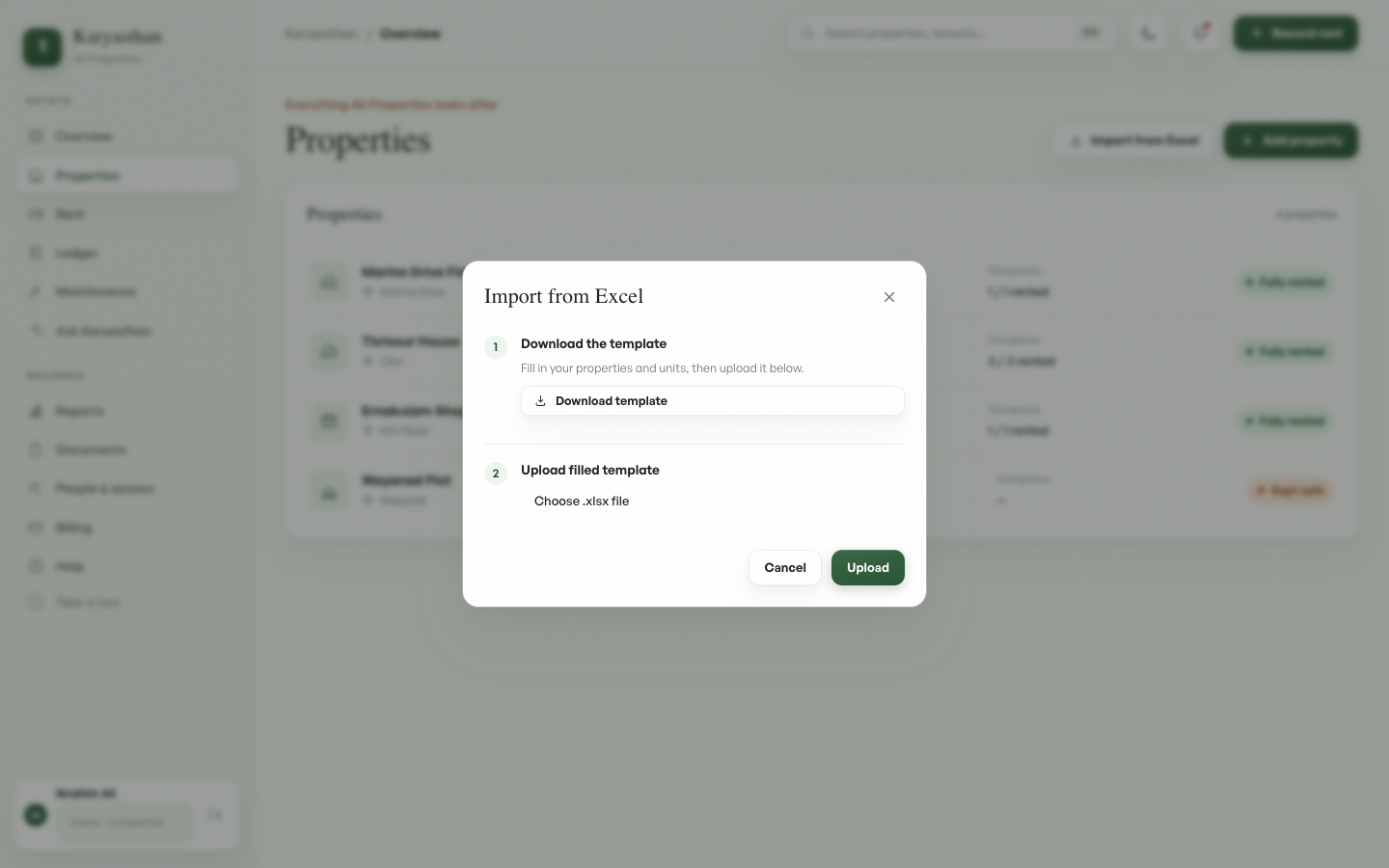
- Download the template. It's an
.xlsxwith a column for every field above: property label, type, address, unit, tenant, rent, deposit, due day, lease start, and opening arrears. Fill one row per unit. Rows that share a Property Label become one property with several units, and you can leave the tenant columns blank for a vacant property. - Upload the filled template. Every row is checked first. If any row has a problem, nothing is imported and you get a list of "Row N: what to fix", so you can correct the file and upload it again without creating duplicates. On success you see how many properties and units were created.
tip: Delete the grey example row before uploading, and keep amounts in whole rupees.
The property detail page
Click a property to open its detail page.
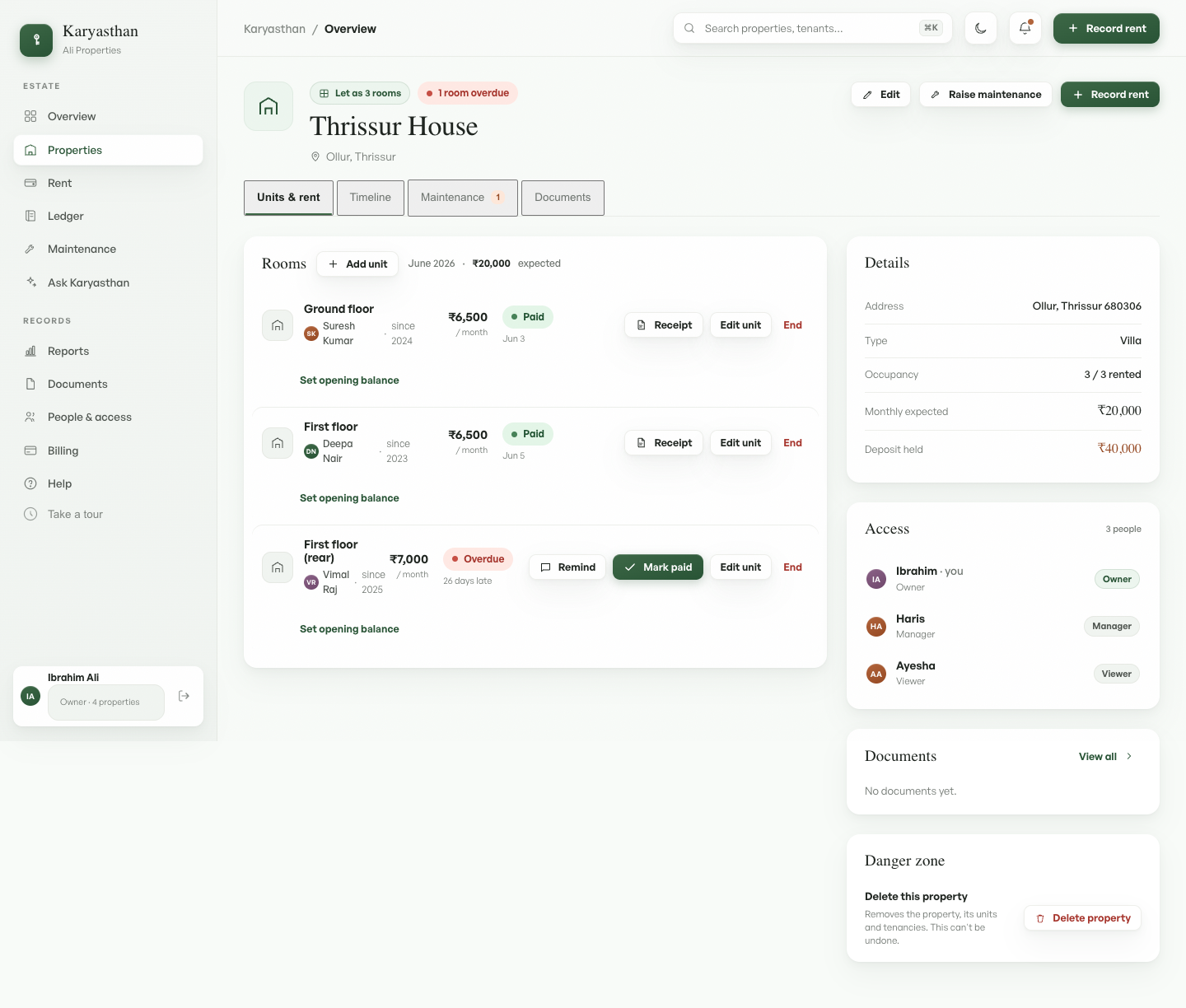
The header shows the property name, an occupancy summary, and quick actions: Edit (label, type, address, status), Raise maintenance, and Record rent. Record rent opens a drawer on the page to log a payment for a unit of this property, without leaving for the rent ledger. If more than one unit still owes rent this month you pick which one, then set the amount (a smaller figure records a partial payment) and the date (you can back-date it).
Below it, tabs switch between Units & rent, Timeline (every event on this property), Maintenance (open requests, with a count badge), and Documents.
The Timeline keeps a running history of changes to the property, with the name of whoever made each one: a unit added, a rent or deposit change (showing the old and new amount), an opening balance set or paid down, and a tenancy ended, alongside rent payments, a rent payment undone, and maintenance. It starts recording from the day this was switched on, so earlier changes are not shown.
The rooms section has one card per unit, showing the tenant, monthly rent, and this month's status. The row actions are:
- Receipt on a Paid row views or downloads the rent receipt.
- Remind on an overdue or due row flags the tenant for a follow-up. To send an actual reminder message, ask the Ask Karyasthan assistant, which drafts it and sends it over Telegram once you confirm.
- Mark paid on a due or overdue row records the full month's rent in one tap, dated today. For a partial or back-dated payment, use Record rent in the header above, or the rent ledger.
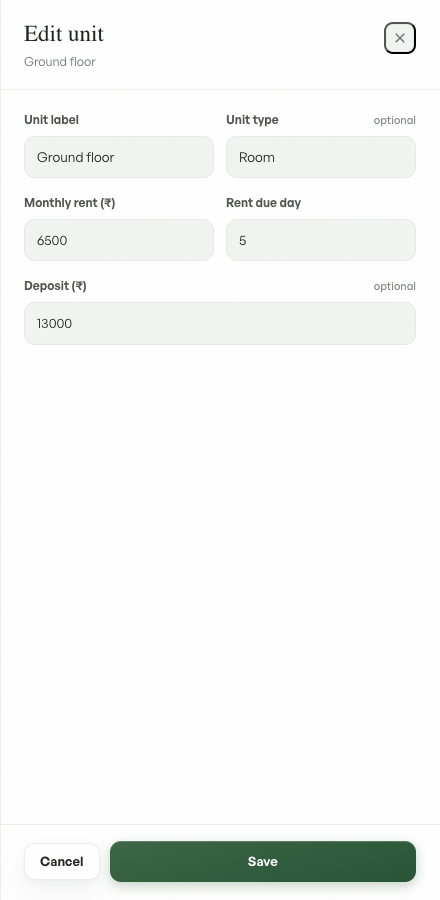
- Edit unit opens a drawer to change the unit label and type, and for a rented unit the monthly rent, rent due day, and deposit. End ends the tenancy.
- Add tenant appears on a vacant unit, and opens the drawer to let it (see Adding a tenant to a vacant unit above).
- Set opening balance records arrears the tenant owed before tracking began (next section).
The side panels hold Details (address, type, occupancy, monthly expected, deposit held), Access (who can see or manage this property and their role; see People & access), Documents, and a Danger zone. The Delete property button there removes the property along with its units and tenancies, and it can't be undone.
Adding another unit
A property can hold several units. To add one after the property already exists, open it and click Add unit in the Rooms header.
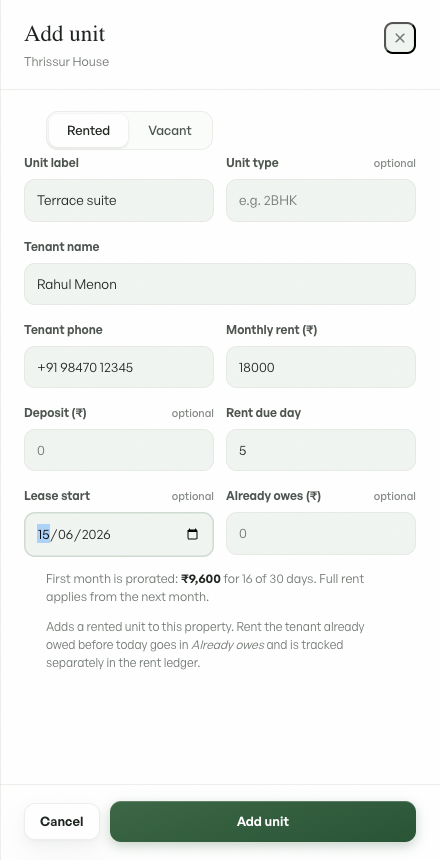
At the top of the drawer, a Rented / Vacant toggle sets what you are adding:
- Rented captures the full tenancy: unit label and type, tenant name and phone, monthly rent, deposit, rent due day, lease start, and any rent the tenant already owed. When the lease starts partway through the month, the drawer shows the prorated first-month amount before you save.
- Vacant captures just the unit label and type. It creates an empty unit that shows as Vacant until you add a tenant later, which is handy for a unit that is between tenants or not yet let.
To add many units at once, use Import from Excel instead.
Adding a tenant to a vacant unit
When a vacant unit is ready to let, open the property and click Add tenant on that unit's row.
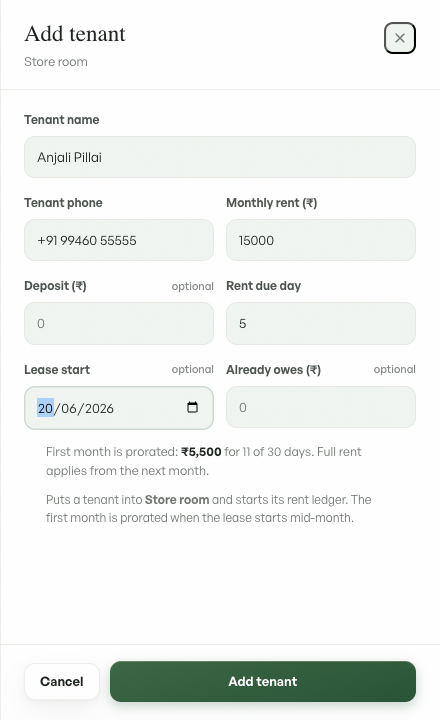
The drawer collects the tenant name and phone, monthly rent, deposit, rent due day, lease start, and any rent already owed, then starts the unit's rent ledger. As with a new rented unit, a mid-month lease start prorates the first month. The unit's status changes from Vacant to reflect this month's rent, and the property is no longer counted as vacant.
Uploading property documents
Open the Documents tab on a property and click Add document. Choose the document type (lease agreement, land deed, tax receipt, proof photo, or other), pick an image or PDF (up to 10MB), and upload. It stores securely and shows as a thumbnail you can open, filed under the type you chose. Rent receipts you generate are filed here automatically. See Documents for the account-wide view.
Setting an opening balance
On any unit, click Set opening balance to record what the tenant owed before you started tracking rent here.
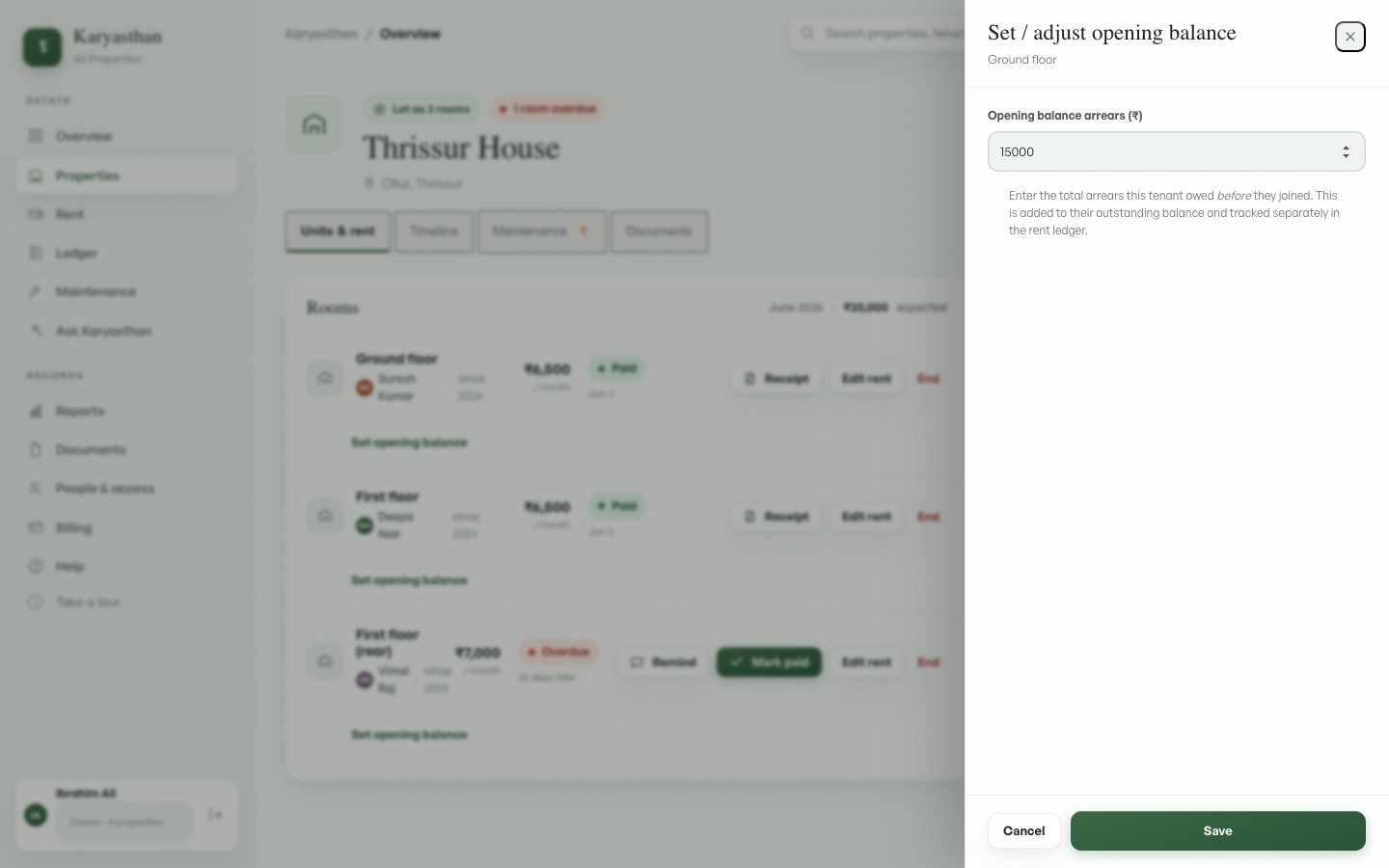
Enter the total arrears (₹) the tenant owed before they joined, then Save. The amount is added to their outstanding balance and shown as a separate Opening balance line in the rent ledger. Once an opening balance is outstanding, a Record opening-balance payment action appears so you can pay it down over time.
Plan limits
The Free plan covers 2 properties. Pro covers up to 15. Business is unlimited. See Billing & plans to upgrade.
See also: Recording payments and the ledger, People & access.